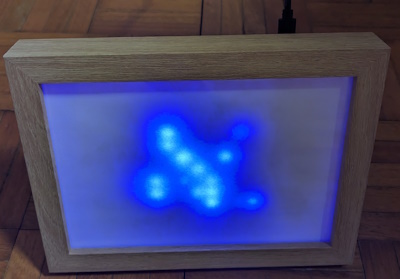
Jan. 12, 2026, 7:45 p.m.
LED-Matrix Pictureframe
What you need!
- Raspberry Pi Pico
- 64 dot WS2812b Matrix
- Picture Frame
- Micro USB cable with an on/off switch
- JST SM 3pin connector cables
- Micro-USB cabel with On/Off-Switch for Raspberry Pi
- 1 470 µF(Microfarad) capacitor
How it was done
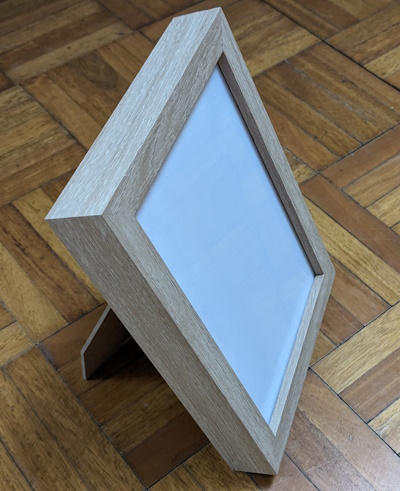
The pictureframe I used has a visible area of 20cm, it is a little bit to big for my taste but it is really hard to find a fitting frame if you don't want to buy a custom made one, or build one yourself. But the project was just a prototype so it was good enough for what I wanted to build. To diffuse the light so that they arent to bright I first thought to use some kind of plastic, but to my surprise this stuff can get really expensive and I didn't want to spent that much, so I decided to keep that pane of glass that came with it and just cut three layers of paper to the right size and put it behind that pane. It's not perfect, but it does the job.
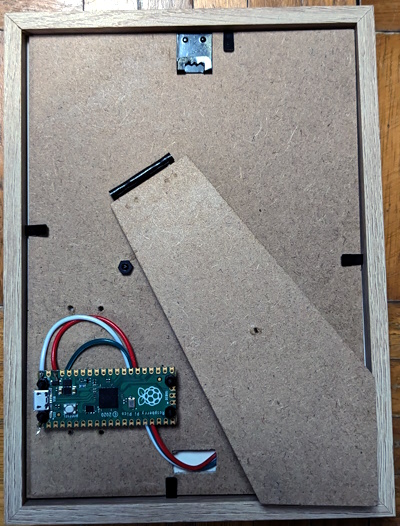
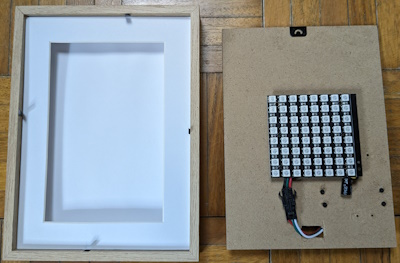
As you can see on the back of the frame I used some of those screws that have a spacer included, (you know, those things that are also used to keep PC motherboards away frome the case), to fasten the Raspberry Pi Pico and also the WS2812B Matrix. To turn the pico on and off I just bought one of those Micro-USB cables with an on/off switch that are usually used for the big Raspberry Pi models.
Now for the code. There are always 16 of the 64 LEDs turned on, they randomly get turned off(faded out) and turned on(faded in). In the code example the LEDs are just blue, maybe I will rewrite the code so that they also change colors. But this time I really wnated to keep it simple, my goal was just to create some kind of nice looking minimum viable product, otherwise I would never get finished, because I always have some ideas in my mind on how to "improve" things. :)
import machine
    from libs.neopixel import Neopixel
    import utime
    import random
    import math

    # Setup
    piPin = 0
    numpix = 64

    strip = Neopixel(numpix, 0, piPin, "RGB")

    # Number of stars and their initial positions
    num_stars = 16
    star_positions = []
    star_brightness = []

    for _ in range(num_stars):
        position = random.randint(0, numpix - 1)
        star_positions.append(position)
        star_brightness.append(255)

    while True:
        # Clear the strip
        strip.clear()

        # Update star brightness and positions
        for i in range(num_stars):
            if star_brightness[i] <= 0:
                while True:
                    position = random.randint(0, numpix - 1)
                    if position not in star_positions:
                        star_positions[i] = position
                        star_brightness[i] = random.randint(128, 255)
                        break
            else:
                star_brightness[i] -= random.randint(1, 3)

        # Pulsate active positions
        for i in range(num_stars):
            position = star_positions[i]
            brightness = star_brightness[i]
            active_brightness = int((1 + math.cos(utime.ticks_ms() / 400 + position)) * 127)
            strip.set_pixel(position, (0, 0, brightness))
            strip.set_pixel(position, (0, 0, active_brightness))

        strip.show()

        utime.sleep_ms(50)
When turned on it has a calming pulsating effect, in reality it looks much better than on the picture, so maybe build one for yourself to see it. I also uploaded a short clip to Youtube so you can see how it looks, but it really does look better when you see it live.